The Complete Checklist That Will Really Get You Listed
I want to tell you the truth. It’s pretty much impossible to use most on-page SEO tips because they are either too complicated for beginners or not detailed enough to be useful. I want this to be different. I want it to be something you can open on your laptop, read page by page, and really use to boost your site’s results.
This is what we’re going to do. You’ll know what on-page SEO is, why it’s important now that AI Overviews rule search results in 2026, and have a list of everything you need to do.
1. What does “On-Page SEO” mean? (And Not)
Everything you do on a web page to help search engines understand it and help people get something out of it is called on-page SEO. That includes the text, headings, title tags, meta descriptions, pictures, internal links, and the way your URLs are structured.
This is NOT technical SEO like crawl budgets, sitemaps, or site speed infrastructure. It’s also NOT off-page SEO like backlinks, digital PR, or brand comments on other websites.
Google will find your site if you do technical SEO. Off-page SEO helps people trust your site. On-page SEO is what Google reads and looks at once it’s there. On-page SEO is where text, HTML, and user experience all meet on one page.
2. Why on-page SEO is even more important in 2026
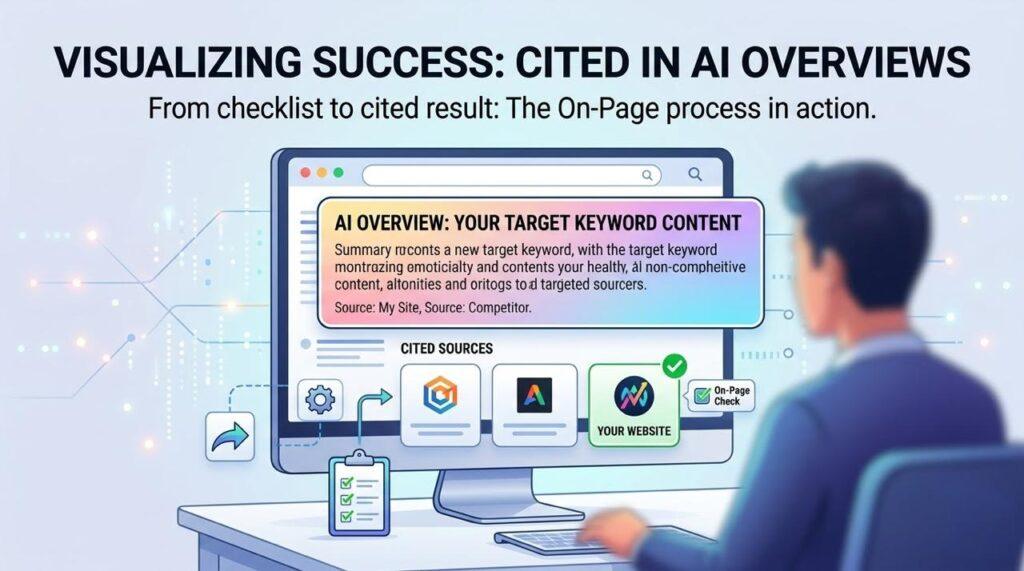
A lot of new users don’t know this, but Google’s AI Overviews (those big answer boxes at the top of search results) now handle most informational questions. And the pages that are in AI Overviews? On-page SEO that is clear and well-organised is almost always found on those sites.
This means that the same good habits that helped you rank in regular search results—using the right keywords, making sure your content is helpful—now also make it more likely that AI-generated answers will cite your work. Two benefits for one effort.
3. The three-part framework: Experience, Understandability, and Relevance
Before we jump into the checklist, let me give you a framework that makes everything else click. When Google evaluates any page, it’s essentially asking three questions:
Relevance: Does this page answer what the user searched for?
Your page needs to match the search intent behind the keyword. There are four main types of intent:
- Informational: The user wants to learn (e.g. ‘how does SEO work’)
- Navigational: The user wants a specific site (e.g. ‘Semrush login’)
- Commercial: The user is comparing options (e.g. ‘best SEO tools 2026’)
- Transactional: The user is ready to buy or act (e.g. ‘buy Ahrefs subscription’)
If your content type doesn’t match the intent, no amount of technical optimisation will make it rank.
Understandability: Can Google easily interpret and structure your content?
This comes down to clean HTML, logical heading structure, crawlable internal links, and stable canonical signals. Google shouldn’t have to guess what your page is about.
Experience: Is the page fast, mobile-friendly, and easy to use?
Google uses mobile-first indexing, which means it evaluates the mobile version of your page before the desktop version. Core Web Vitals (your page’s speed and responsiveness scores) are real ranking factors in 2026, not just a suggestion.
4. Always begin your keyword research here
Without keyword study, on-page SEO is like driving without a plan. Before you improve anything, you need to know what terms people are actually using to find you.
Think about these four things when picking keywords to target:
- How many times do people search for this term every month?
- How hard is it to rank for that keyword? (If your site is new, try for easier levels)
- Search Intent: Does the keyword match what your page is about?
- How often do people search for this keyword? Has the number of searches changed over time?
Real-life example: A small bakery in Somerville might not go after “birthday cakes” because it has a lot of competitors and would rather go after “custom birthday cakes in Somerville” because it has fewer competitors and more people who are ready to buy. That’s a good way to use keywords for a beginner.
To do this, use free tools like Google Keyword Planner, Semrush, or Ahrefs. Find keywords whose purpose matches your page and whose difficulty is manageable for the level of authority on your site right now.
5. The Full SEO Checklist for Each Page (2026)
Do these in the right order. Every part builds on the last one.
A. Keywords and Goals
☐ Identify one primary keyword per page (don’t try to target five at once)
☐ Confirm the search intent of that keyword matches the type of page you’re creating
☐ Write one sentence: ‘This page helps [who] do [what].’ If you can’t write it, the page isn’t focused enough
☐ Identify 2-3 secondary/related keywords that naturally belong in the content
B. Title Tag
The text that people can click on in Google search results is your title tag. It’s one of the most powerful messages you can control on the page.
☐ Place your primary keyword near the beginning of the title tag
☐ Keep it to around 55 characters maximum; anything longer risks being cut off in results
☐ Write it for humans first, search engines second; it needs to earn the click
☐ Make it accurate to what’s on the page (misleading titles increase bounce rates and hurt rankings)
☐ Include your brand name at the end if space allows, e.g. ‘How to Bake Sourdough Bread | The Bakery Blog’
C. Description of Meta
Meta descriptions don’t have a direct effect on rankings, but they do have a huge effect on click-through rate, which does have an indirect effect on ranks.
☐ Write a compelling description of 120-158 characters
☐ Include the primary keyword naturally (Google bolds it in the results if it matches the query)
☐ Include a subtle call to action: ‘Learn more’, ‘See the full guide’, ‘Find out how’
☐ Make it genuinely descriptive; don’t just repeat the title tag with different words
D. Structure of URLs
☐ Keep URLs short, clean, and descriptive: /on-page-seo-checklist/ (not /post?id=4829)
☐ Include the primary keyword in the URL
☐ Use hyphens between words (not underscores; Google treats underscores differently)
☐ Avoid dates in URLs for evergreen content; you’ll end up with /2023/guide/ that looks stale in 2026
E. Headings (H1, H2, H3)
Your heading format helps people read your content and tells search engines that it is relevant. It’s kind of like a book’s table of pages.
☐ Use exactly one H1 per page; it should match (or closely match) your title tag
☐ Place your primary keyword in the H1
☐ Use H2 tags for main sections and H3 tags for subsections within those sections
☐ Don’t skip heading levels (e.g. don’t jump from H1 to H4)
☐ Write headings that describe what’s in the section; avoid clever but vague headings
F. Quality of Content
Google makes it clear: write information for people, not search engines. In 2026, though, “helpful content” means a very different thing.
☐ Fully answer the question the keyword implies; don’t leave the reader needing to go back to Google
☐ Match the depth to the topic: some queries need 300 words, others need 2,000
☐ Use your primary keyword naturally in the first 100-150 words of the page
☐ Distribute secondary keywords and related terms throughout the content naturally
☐ Break up long paragraphs; aim for 3-4 sentences max per paragraph for readability
☐ Use real examples, data, and specifics; vague content does not rank well in 2026
☐ Update your content regularly; stale pages with outdated information lose rankings over time.
G. Pictures and Alt Text
☐ Compress all images before uploading (use tools like Squoosh or TinyPNG)
☐ Name image files descriptively: sourdough-bread-recipe.jpg (not IMG_4829.jpg)
☐ Write alt text for every image; describe what the image shows in plain language
☐ Include your keyword in the alt text where it genuinely fits (don’t force it)
☐ Use modern image formats like WebP where possible for faster loading
H. Links inside the site
Google can find your other pages and figure out how they are related with the help of internal links. Plus, they make people stay on your site longer.
☐ Link to relevant pages on your own site naturally within the content
☐ Use descriptive anchor text that tells both Google and the user what the linked page is about
☐ Avoid generic anchor text like ‘click here’ or ‘read more’
☐ Make sure every important page on your site is reachable within 3 clicks from the homepage
☐ Check that none of your internal links are broken (use free tools like Screaming Frog)
I. Mobile-Friendliness & Core Web Vitals
Remember that Google first crawls the mobile form of your site. Google can’t see your page if it doesn’t work on phones.
☐ Test your page on a real mobile device and on Google’s Mobile-Friendly Test tool
☐ Ensure text is readable without pinching and zooming
☐ Check that buttons and links are large enough to tap with a thumb
☐ Run your URL through Google PageSpeed Insights and address any critical issues
☐ Aim for an LCP (Largest Contentful Paint) under 2.5 seconds
☐ Keep layout shifts minimal; images should have declared dimensions in your HTML
J. Indexing and canonical tags
This is the part that says “don’t waste your time.” Before you change anything else on a page, make sure Google can still index it.
☐ Confirm the page doesn’t have a noindex tag unless you intentionally want it hidden from Google
☐ If you have duplicate content (e.g. filter pages, HTTP vs HTTPS versions), set canonical tags to point to the main URL
☐ Check that your most important pages are not accidentally blocked in robots.txt
K. Structured Data (Schema Markup)
You can add schema markup to a page to let Google know what kind of content it has, like a story, a recipe, a product, a frequently asked questions page, or something else. Rich results, like star reviews, FAQ dropdowns, and more, can be found in search results.
☐ Add Article schema to blog posts
☐ Add FAQ schema to any page with question-and-answer format content
☐ Add Product schema to product pages (with price, availability, and reviews)
☐ Use Google’s Rich Results Test tool to validate your schema before publishing
6. Mistakes that newcomers often make (and how to avoid them)
Before you begin, you should be aware of the following usual mistakes:
- Trying to hit one keyword per page: There are a lot of newbies who try to rank the same page for five different keywords. Do not. One page, one main term, and a clear goal.
- Making a page better when it’s not even indexed: Before you spend time on a page, you should always make sure that it can be searched. It doesn’t matter what else it has if it has a noindex tag.
- Putting too many keywords in title tags: “Best SEO Tips | SEO Guide | SEO Checklist | SEO 2026” is not a good idea. Both Google and users think it looks like spam.
- Not taking mobile into account: Google sees a page as broken if it looks great on PC but not on mobile.
- Writing for search engines instead of people: In 2026, Google is very good at finding content that isn’t very good or is meant to trick people. Write with the person who will read your page in mind.
7. How to Tell If Your On-Page SEO Is Doing It
Give Google at least two to four weeks to re-crawl and re-evaluate your page after you make changes. After that, check:
- Google Search Console: Look at the Performance tab to see if impressions and clicks are rising for your target keyword
- Average Position: Is your ranking for the target keyword improving over time?
- Click-Through Rate (CTR): If your position is high but CTR is low, your title tag or meta description needs work
- Bounce Rate (in GA4): If users land on your page and immediately leave, the content isn’t matching their intent
Final Thoughts
On-page SEO isn’t magic or hard to understand once you know how it works: make it easy for Google to understand your page, and make sure your users get exactly what they came for. That’s really it.
Everything you need is on the list above. Do not try to do every page at the same time. That could be your home page, your main service page, or your best blog post. Start with the most important page and work your way through each area. Next, go to the next page.
Over time, on-page SEO that is done in a methodical, consistent way pays off. You can get visitors to a page for years to come if you optimise it right now.